
The WaiterMate Training Module helps staff learn and practise using WaiterMate without impacting live business operations. Once the feature has been enabled in OfficeMate, authorised users can turn on the training module for a specific terminal. All training activity is kept separate from normal transactions, making it easy to train staff with confidence.
The training module is first enabled in OfficeMate and can then be visible to users in System Admin in WaiterMate depending on their permission.
Step 1: Enable the WaiterMate Training Module
The WaiterMate Training Module is enabled per terminal so that one terminal at a time can be used for training new team members while other terminals in the venue can operate as normal.
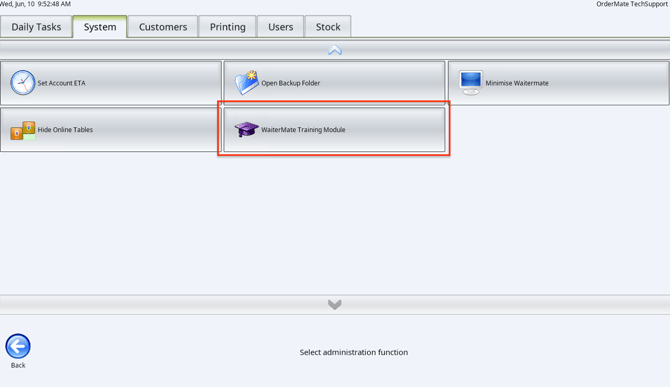
- Log in to WaiterMate
- Select System Admin
- Select System
- Scroll to the bottom of the page
- Select the WaiterMate Training Module icon
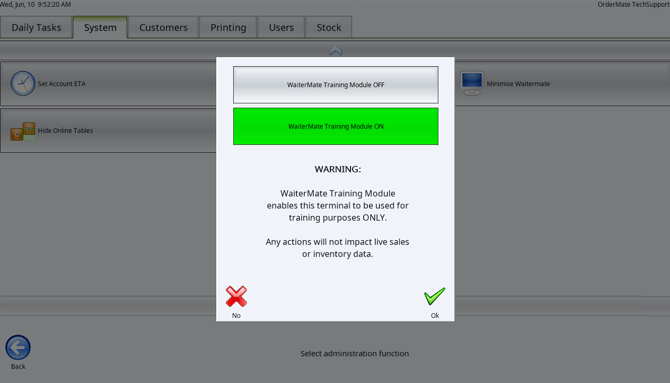
- Review the current training module status
- Select WaiterMate Training Module ON
- Select OK
Step 2: Confirm the WaiterMate Restart
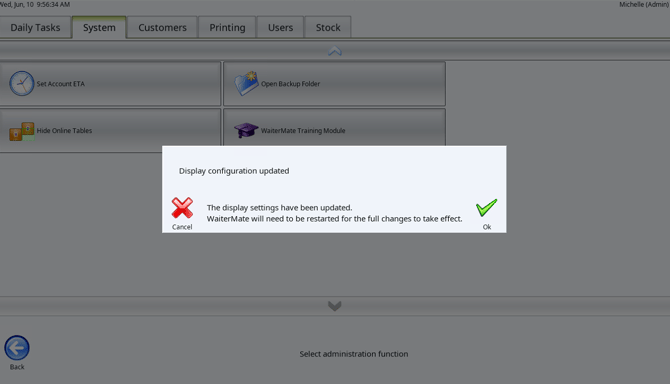
Once the module has been enabled, WaiterMate is required to restart. A message will be shown so that the user can opt out if required.
- Review the message advising that WaiterMate will restart
- Select OK
- Wait for WaiterMate to restart automatically
Step 3: Confirm the Module is Active
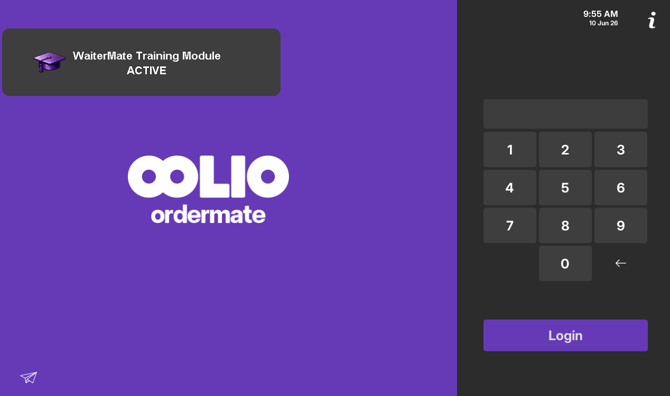
To check that training mode has been enabled successfully
- The Login screen will state 'WaiterMate Training Module is ACTIVE'
- All other screens will display a purple banner is visible at the top of the screen with the same warning
Important Information
-
The WaiterMate Training Module is configured per terminal. Turning it on one terminal, will not affect other terminals.
-
All sales and payments processed in training mode are recorded as training transactions and are kept separate from normal sales reporting.
-
A warning message is displayed each time a sale is processed while training mode is active.
-
Training mode automatically turns off at the end of each trading day.
-
The WaiterMate Training Module must first be enabled in OfficeMate by a system administrator before it can be turned on in WaiterMate.
-
Learn more about the WaiterMate Training Module:
- Available from Ordermate Version 5.0.0a